Pencil Sketch
A photo turned into a pencil sketch in four steps of image processing, with OpenCV. The same four steps run here, on my photo.
- Platform
- Python, image processing
- When
- 2021
- Role
- Sole developer
- Status
- Earlier work, on GitHub
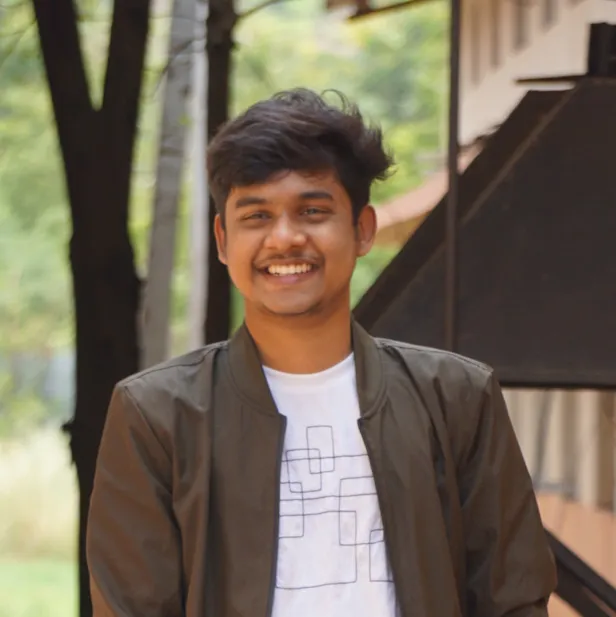
Drag across itSlide across it to compare. The sketch is worked out in your browser.
The problem
Make a recognisable pencil-sketch effect with a short image-processing pipeline that you can explain step by step.
What I built
The script reads a photo, converts it to grayscale and inverts it, then blurs the inverted image with a 21 by 21 Gaussian kernel. It inverts the blur again and divides the grayscale image by it, scaled by 256. Where the photo is flat the two match and it goes white; at edges they don’t, and dark lines are left, like pencil.
The panel at the top runs the same steps on my photo, in your browser, with the same kernel and the same division.
Hard partA convincing sketch from a pipeline short enough to explain in one breath.
Under the hood
- 01ImageRead with OpenCV
- 02GrayscaleColour out, light kept
- 03Invert and blurA 21 by 21 Gaussian
- 04DivideThe sketch
import cv2
#reading image
image = cv2.imread("dog.jpg")

#converting image to grayscale
gray_image = cv2.cvtColor(image, cv2.COLOR_BGR2GRAY)
#image inversion
inverted_image = 255 - gray_image
blurred = cv2.GaussianBlur(inverted_image, (21, 21), 0)
inverted_blurred = 255 - blurred
pencil_sketch = cv2.divide(gray_image, inverted_blurred, scale=256.0)Decisions
- 01
A division blend
Dividing the grayscale image by the inverted blur turns flat areas white and keeps the edges, in one line.
Trade-offThe blur size is fixed, so it suits some photos better than others.
What I learned
- The script has a fixed file name and blur size, and needs a desktop to show its windows. Fine for an experiment; a tool would need more.
Built with
PythonOpenCV