ShopGrade
An audit for any Shopify storefront. It turns what it finds on a public store into a prioritized list of fixes, with no admin access needed.
- Platform
- Chrome extension + website
- When
- May to Sep 2026
- Role
- Sole developer
- Version
- 4.9.1, 13 Oct 2026
- Price
- First report free
- Status
- Live
How it works
4 steps- 01
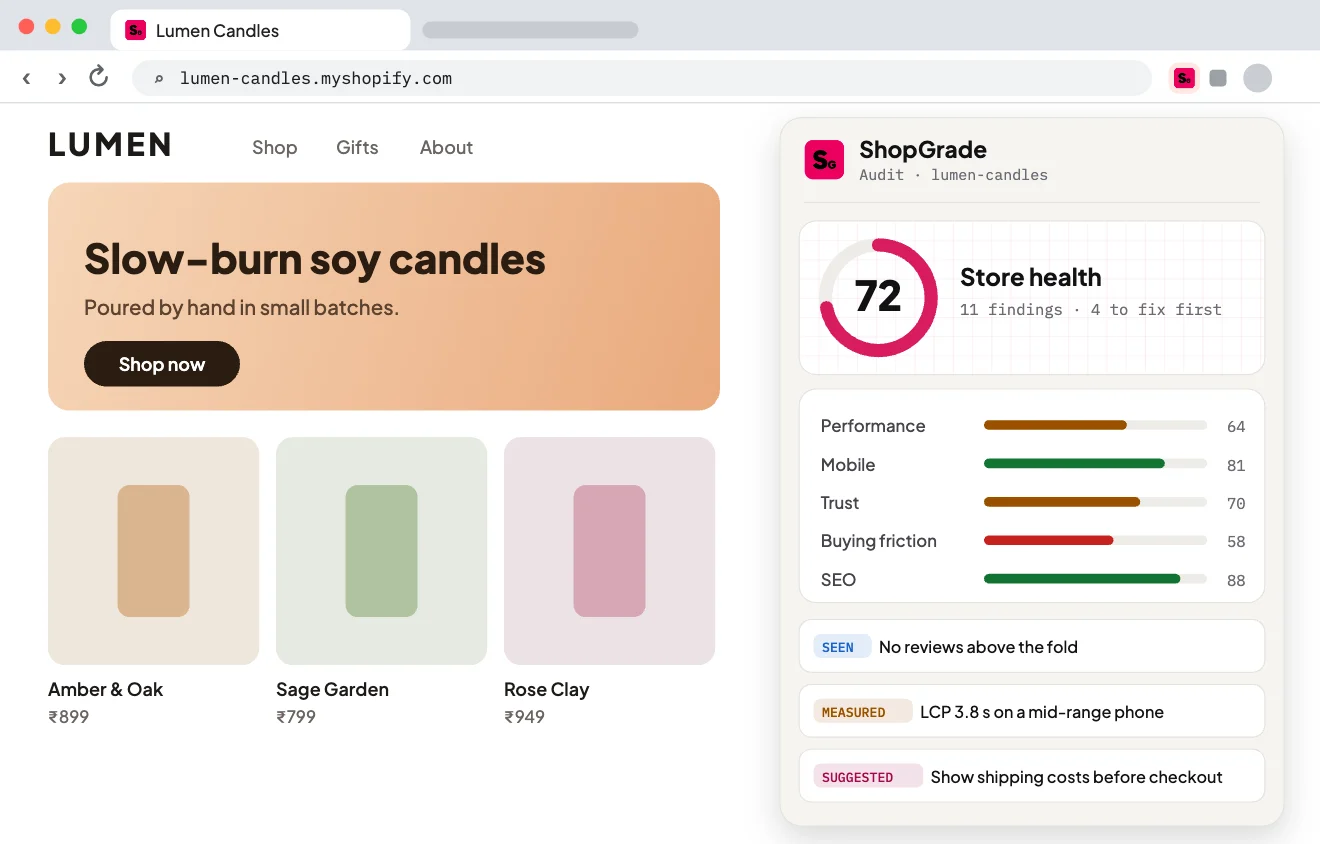
Add it to Chrome
It stays dormant until you open a public Shopify store and confirm the audit.
Open larger: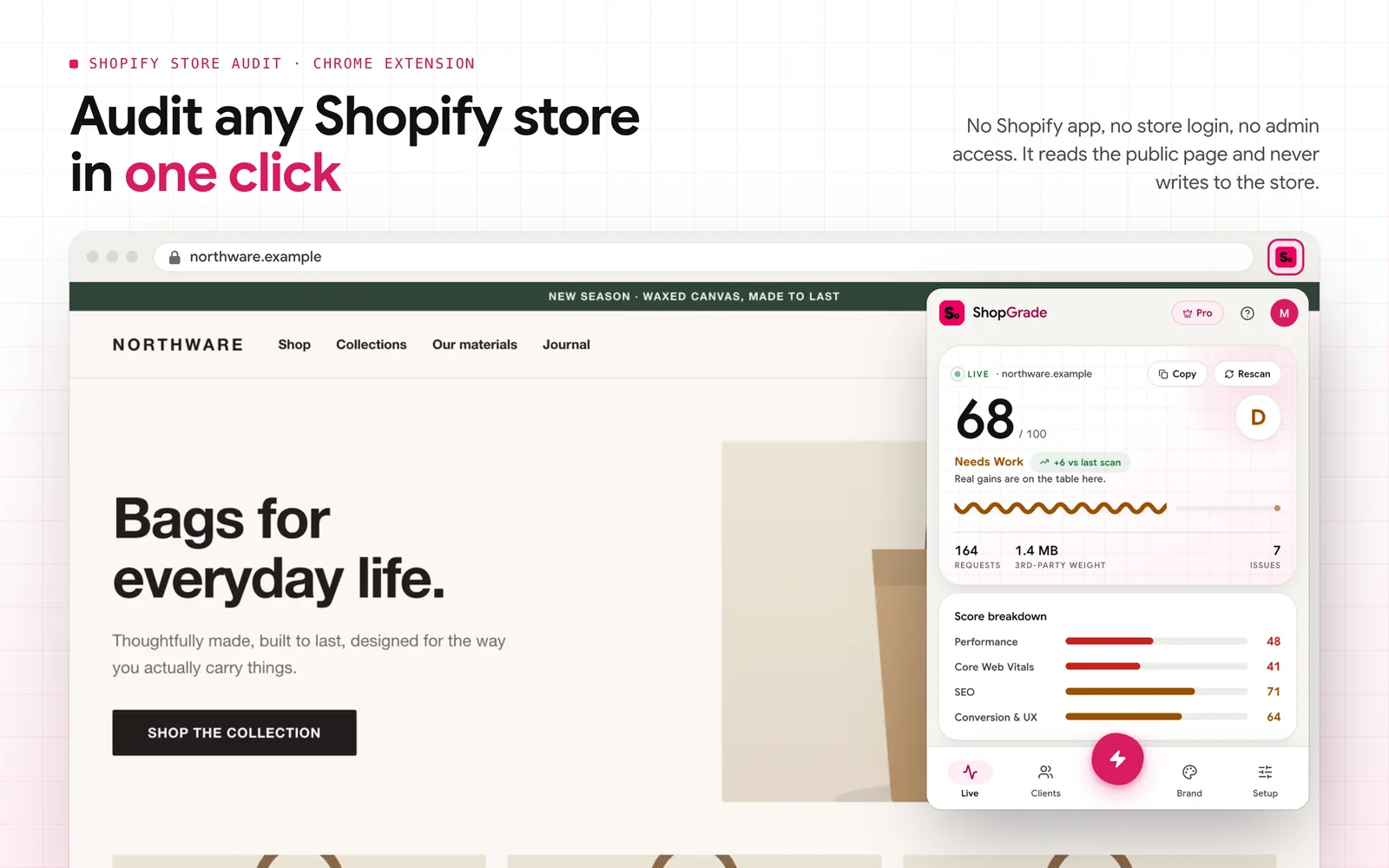
- 02
Open any Shopify storefront
No app to install, no store login and no admin access. It reads the public page and never writes.
Open larger: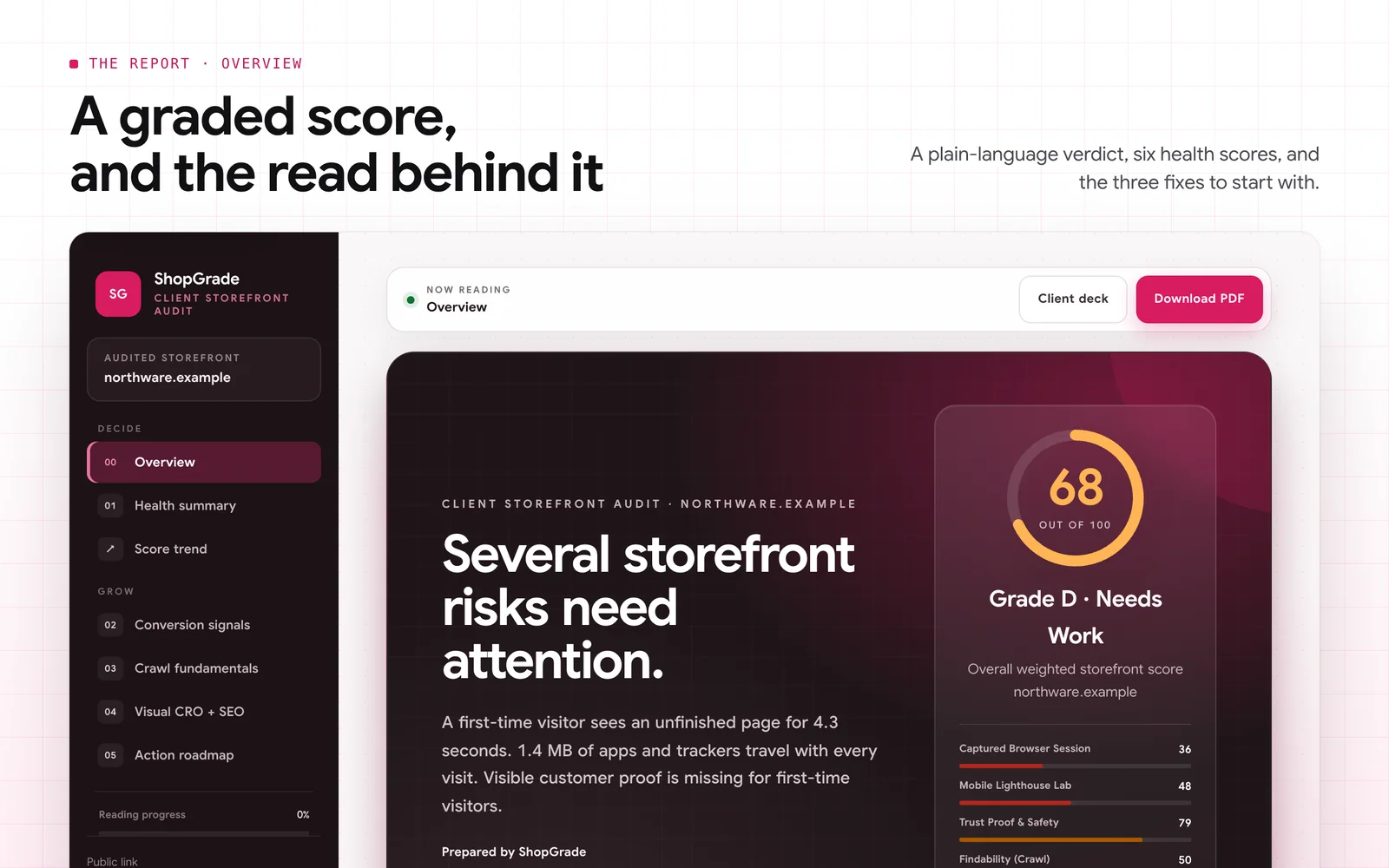
- 03
Get a graded audit
An overall score and verdict, six health scores, crawl and SEO checks, and the evidence behind every finding.
Open larger: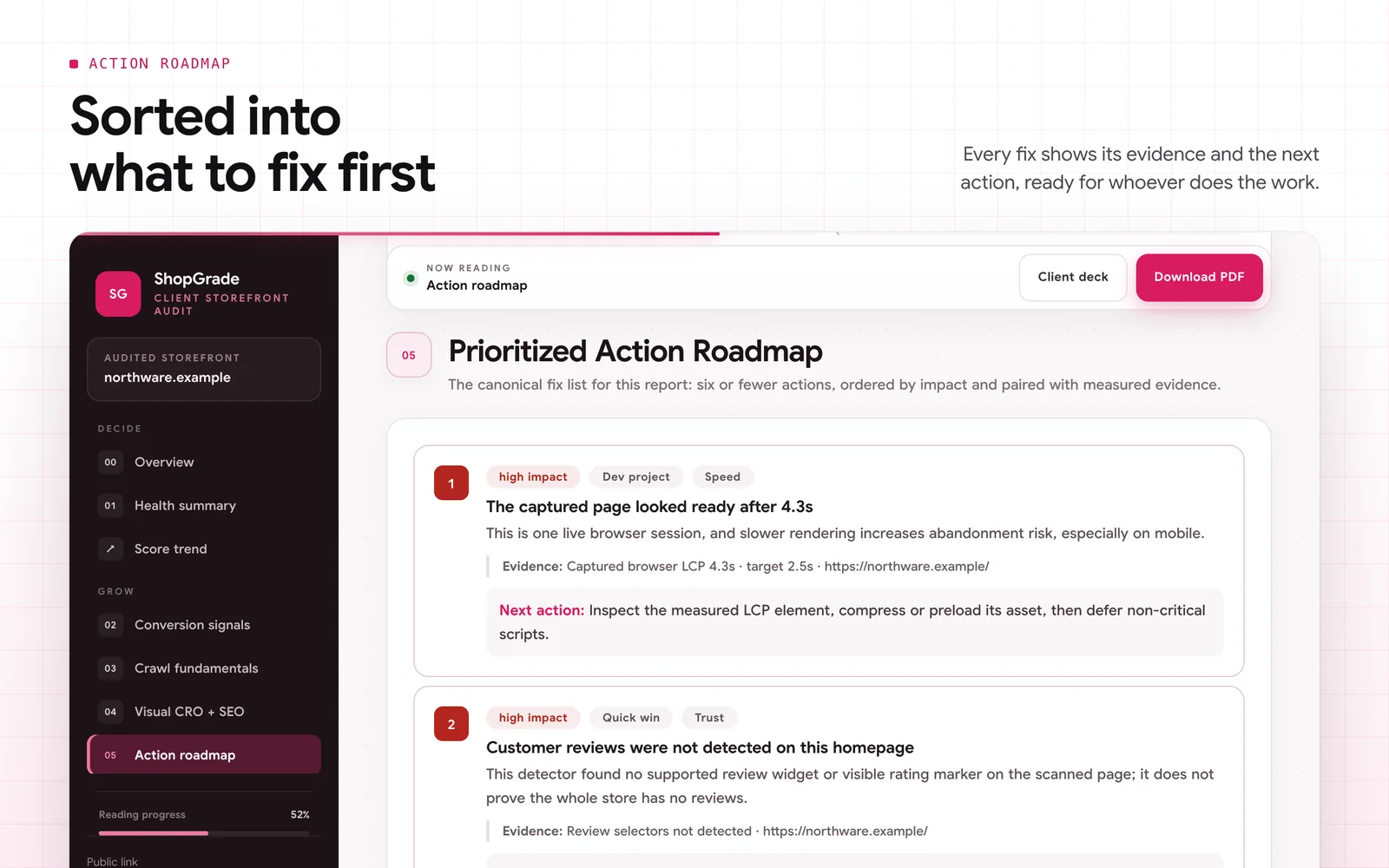
- 04
Share, export or pitch
Send a secure live link, export a PDF, or build a client deck in your own branding.
Open larger: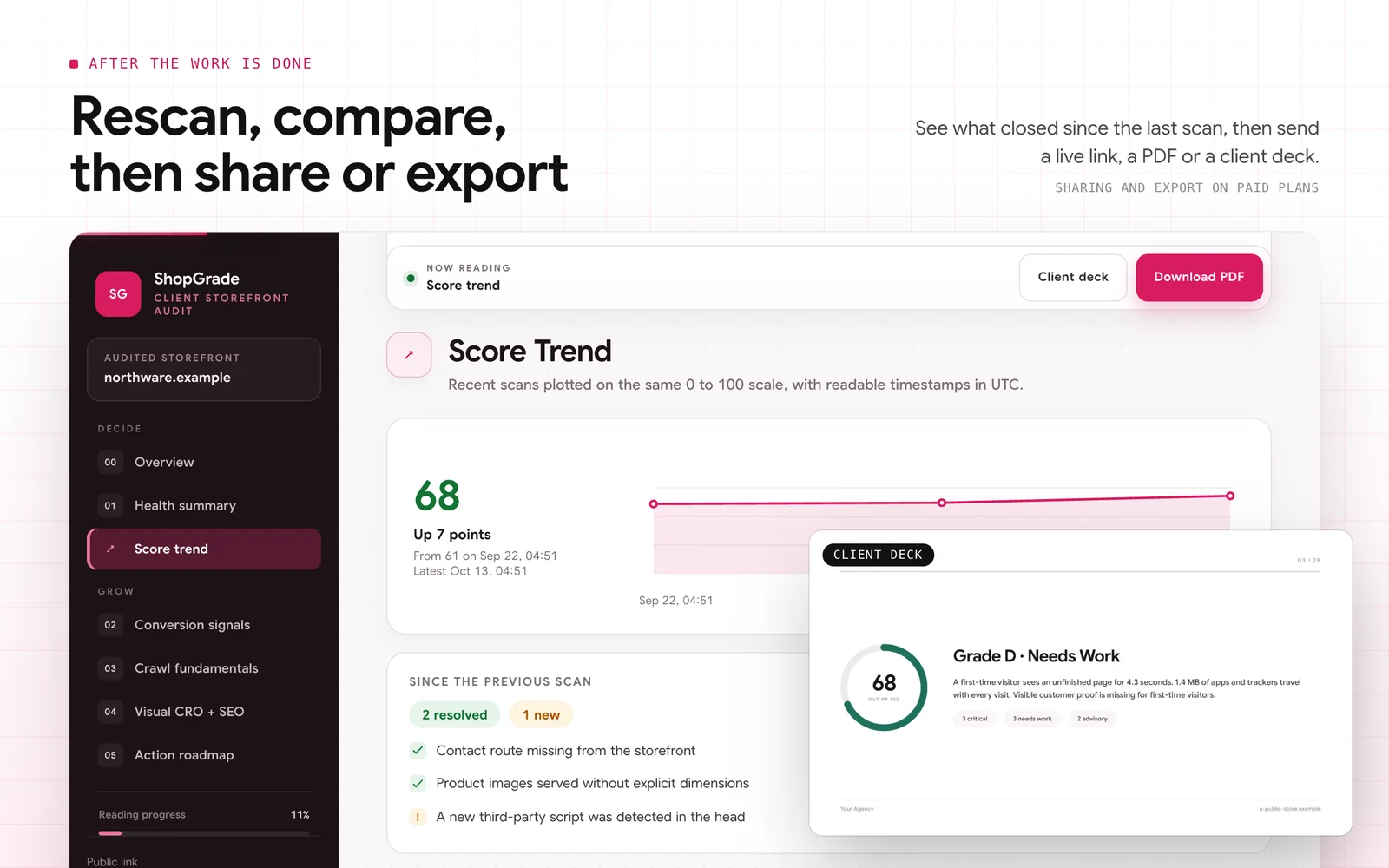
The problem
Auditing a Shopify store usually means jumping between five tools: PageSpeed for speed, an SEO crawler, a spreadsheet for trust signals, screenshots for the client, and a doc to explain it all. By the time it’s done, the findings are scattered, and the client still asks the only question that matters: what should we fix first?
What I built
A Manifest V3 Chrome extension that audits any public Shopify storefront, plus a product website. The report covers performance, mobile usability, trust, buying friction and SEO. Every finding shows its evidence and a suggested next step, so merchants and agencies can decide what to fix first.
Behind it is a backend of my own: it decides who can generate what, writes the optional AI review, and serves the reports people share.
Hard partKeeping what the page shows separate from measurements and AI-written suggestions, so merchants know what is fact.
What it does
- 01
A weighted score, in plain words
Speed, findability, trust, mobile, conversion and technical foundation, each scored on its own, with a verdict.
- 02
A roadmap sorted by impact
Every fix comes with the evidence, the target and the next concrete step.
- 03
Ten crawl and SEO checks
Read from the live page and robots.txt, each with the measured value and what to change.
- 04
What a shopper really sees
The conversion and trust signals a first-time visitor meets before entering card details.
- 05
White-label reports and decks
An agency’s logo, colour and call to action on the report, the PDF and the client slides.
- 06
An optional AI review
On paid plans: Lighthouse lab data, field data when there is some, and an AI read of the homepage and a product page.
Under the hood
- 01Page scriptPerformance observers and store signals, in the page’s own world
To see what a store loads, the performance observers have to run in the page’s own JavaScript world. Nothing else of the extension does.
- 02Content scriptA bridge, in its isolated world
Everything else stays in the extension’s isolated content script. It passes the page’s signals on, and the two worlds only talk through messages.
- 03Service workerKeeps each tab’s audit, and scores it
It keeps each tab’s audit in session storage and scores it as the page loads, flushing new readings about every 300 ms, so the popup’s score moves live.
- 04Backend functionsGate every report, and serve the shared ones
One function checks the plan, credits, a verified email and the free-trial limits before any report. Only the payment provider’s webhook grants a plan, and shared reports are rendered at report.shopgrade.in and last 15 days.
Two worlds in one page
To see what a store loads, the performance observers have to run in the page’s own JavaScript world. Everything else stays in the extension’s isolated content script, and the two only talk through messages.
The server decides what costs money
The extension can’t be trusted with plans, quotas or credits, so a single function gates every report. It checks the plan, credits, a verified email and the free-trial limits.
One place grants a plan
Only the payment provider’s webhook can grant or take away a paid plan or report credits.
Shared reports that expire
Reports people share are rendered on the server at report.shopgrade.in. A link lasts 15 days, and its owner can delete it at any time.
In the code
A credit is spent all at once, or not at all
One transaction spends the credit, grants the report’s AI and CRO units and settles the claim. A crash or a race can’t take a credit without giving what it paid for, and if the last credit has already gone, nothing changes.
functions/start-generation/src/main.js, lines 1129 to 1162, cut short
// Spends one purchased credit. Declared as a closure so both the "plan
// exhausted" and "lost the last slot to a race" paths reuse it. Paid plans
// keep their white-label; free/credit-only reports are watermarked.
async function spendCreditAndReply() {
  // Fast ATOMIC path: spend the credit, grant the per-kind AI + CRO units,
  // and finalize the claim in ONE transaction. Either all four land or none
  // do, so a process killed mid-spend can never consume a credit without its
  // entitlements or leave a half-provisioned pack. The atomic decrement
  // floors at 0, so if a concurrent spend already drained the last credit the
  // whole transaction fails - and since it rolled back cleanly, we simply
  // fall through to the sequential path, which re-runs the atomic decrement
  // and correctly tells "no credit left" apart from a real spend.
  {
    const claimNote = JSON.stringify({ fp: fingerprint, tier, wm: !paid, uc: true });
    const spend = await runTx(async (txId) => {
      await db.decrementDocumentAttribute({
        databaseId: DB, collectionId: PROFILES, documentId: meterId,
        attribute: 'creditsBalance', value: 1, min: 0, transactionId: txId,
      });
      await db.incrementDocumentAttribute({
        databaseId: DB, collectionId: PROFILES, documentId: meterId,
        attribute: 'creditAiBalance', value: 1, transactionId: txId,
      });
      await db.incrementDocumentAttribute({
        databaseId: DB, collectionId: PROFILES, documentId: meterId,
        attribute: 'creditCroBalance', value: 1, transactionId: txId,
      });
      if (ownedClaim) {
        await db.updateDocument({
          databaseId: DB, collectionId: USAGE, documentId: ownedClaim.$id,
          data: { used: 1, updatedAt: Date.now(), note: claimNote }, transactionId: txId,
        });
      }
    });
// …Decisions
- 01
Start from the public storefront, not a Shopify admin app
Anyone can audit any store without installing anything on it.
Trade-offA public page can’t see orders, traffic or real conversion data.
- 02
Keep observations, measurements and AI-written findings visibly separate
So you can tell what was seen on the page from what is interpretation.
Trade-offAutomated checks can point to a problem, but can’t prove what fixing it is worth.
Timeline
Work begins
An audit for public Shopify storefronts, as a Chrome extension.
Its own repository
The extension, its report and dashboard, on an Appwrite backend; shopgrade.in followed three days later.
Live on the Chrome Web Store
An overall grade with a plain-language verdict, scores for speed, trust, mobile, conversion and search, and a to-do list sorted by impact.
4.7
Agencies can turn any audit into a client deck with their own logo, colours and name, and reports stay private until you open a share link.
4.9
The popup, the card it shows on a storefront, the site and the dashboard move from dark to light, and every page now agrees on what each plan includes.
4.9.1
The current Chrome Web Store release, with new store screenshots from the light build.
Built with
TypeScriptReactViteManifest V3Appwrite FunctionsPaddlePageSpeed Insights
Your dataIt stays dormant until you agree to an audit, and never reads form values, passwords or private messages. Audits run in your browser and their data stays there by default. ShopGrade’s servers check your account and report quota, and only receive audit data when you share a report or turn on AI review, monitoring or the agency workspace.
Every screen
8 from the store listing and shopgrade.in- Open larger:
01Audit any Shopify store in one click
- Open larger:
02A graded score, and the read behind it
- Open larger:
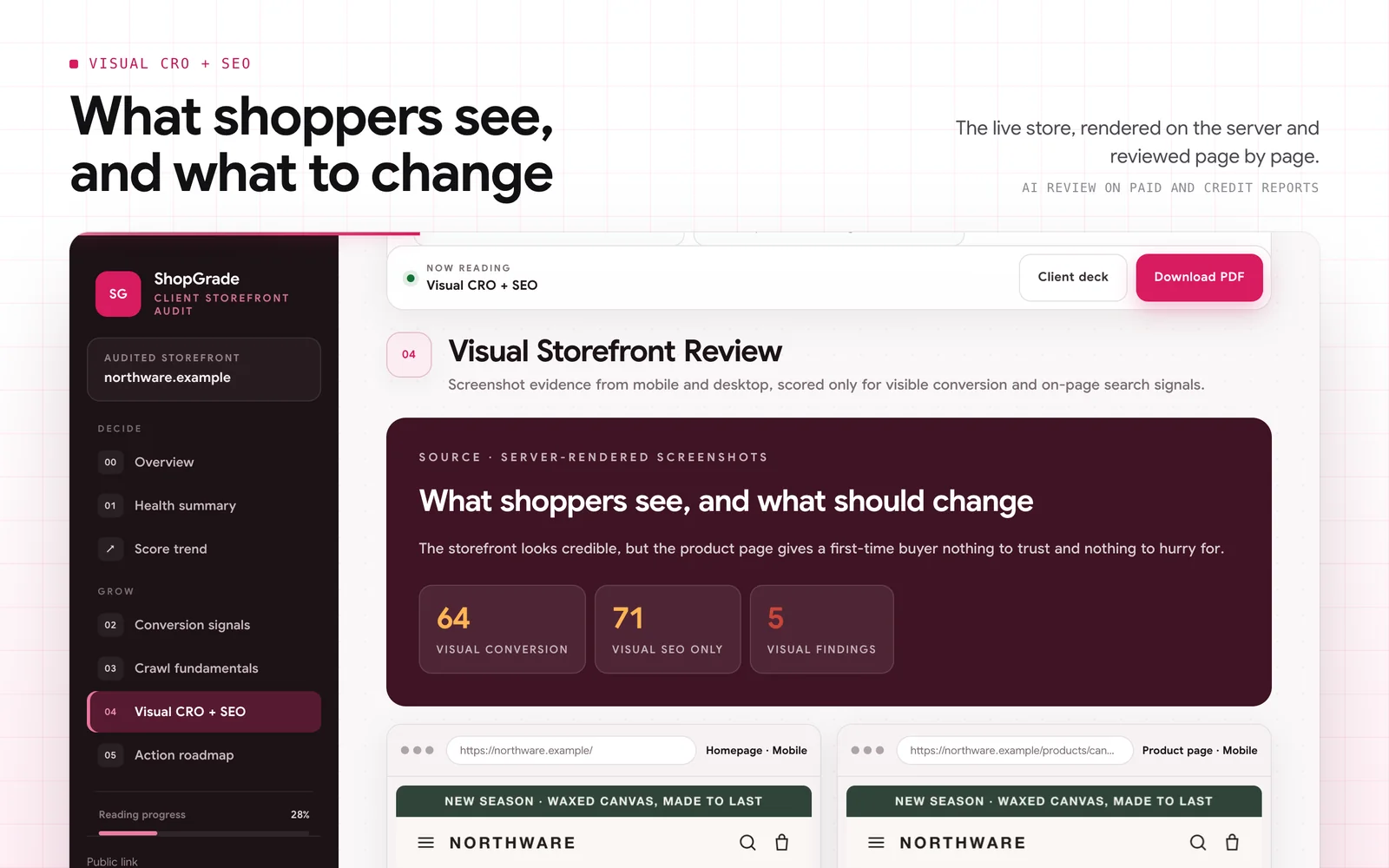
03What shoppers see, and what to change
- Open larger:
04Sorted into what to fix first
- Open larger:
05Rescan, compare, then share or export
- Open larger:
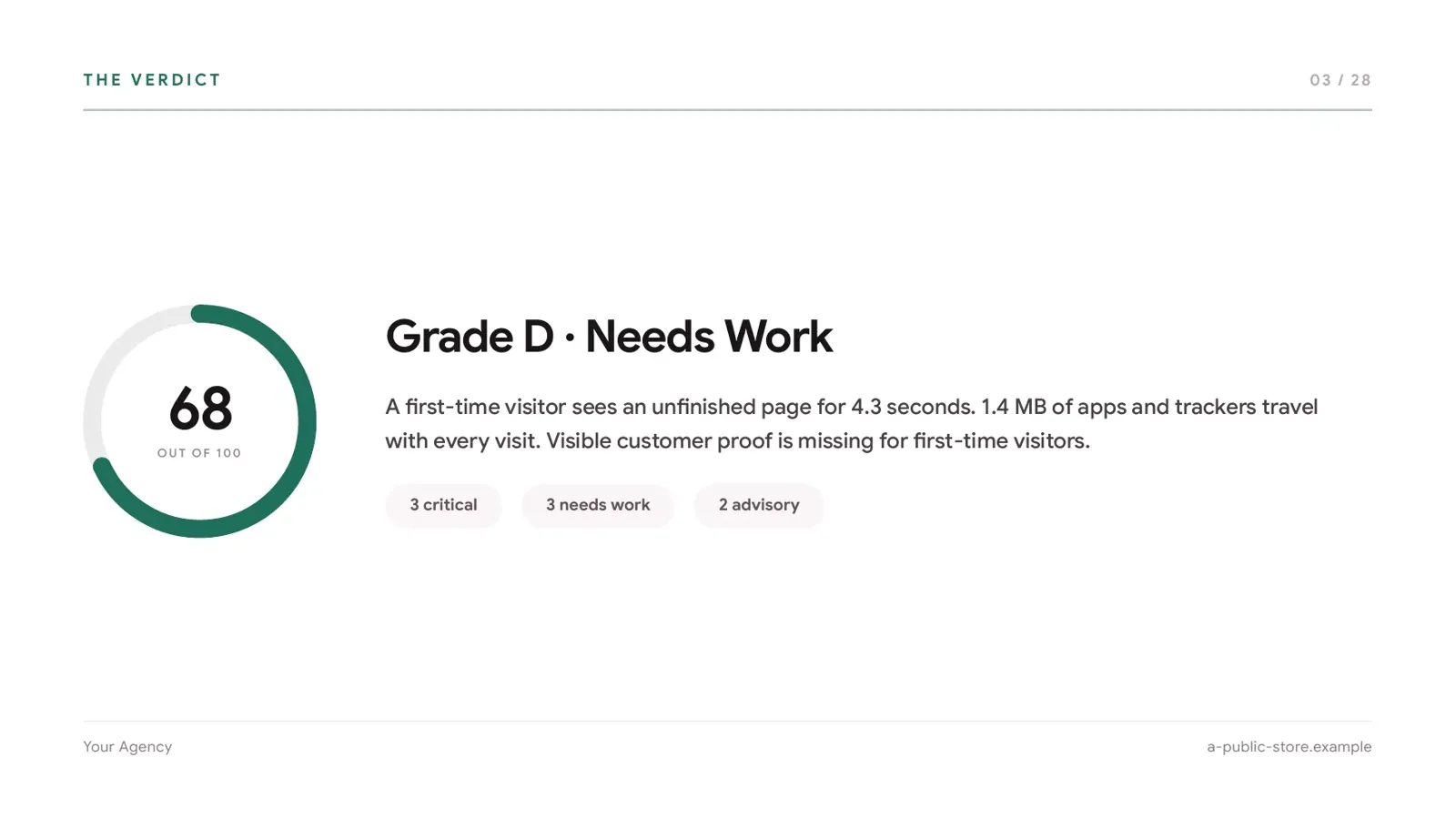
06Client deck: the verdict slide
- Open larger:
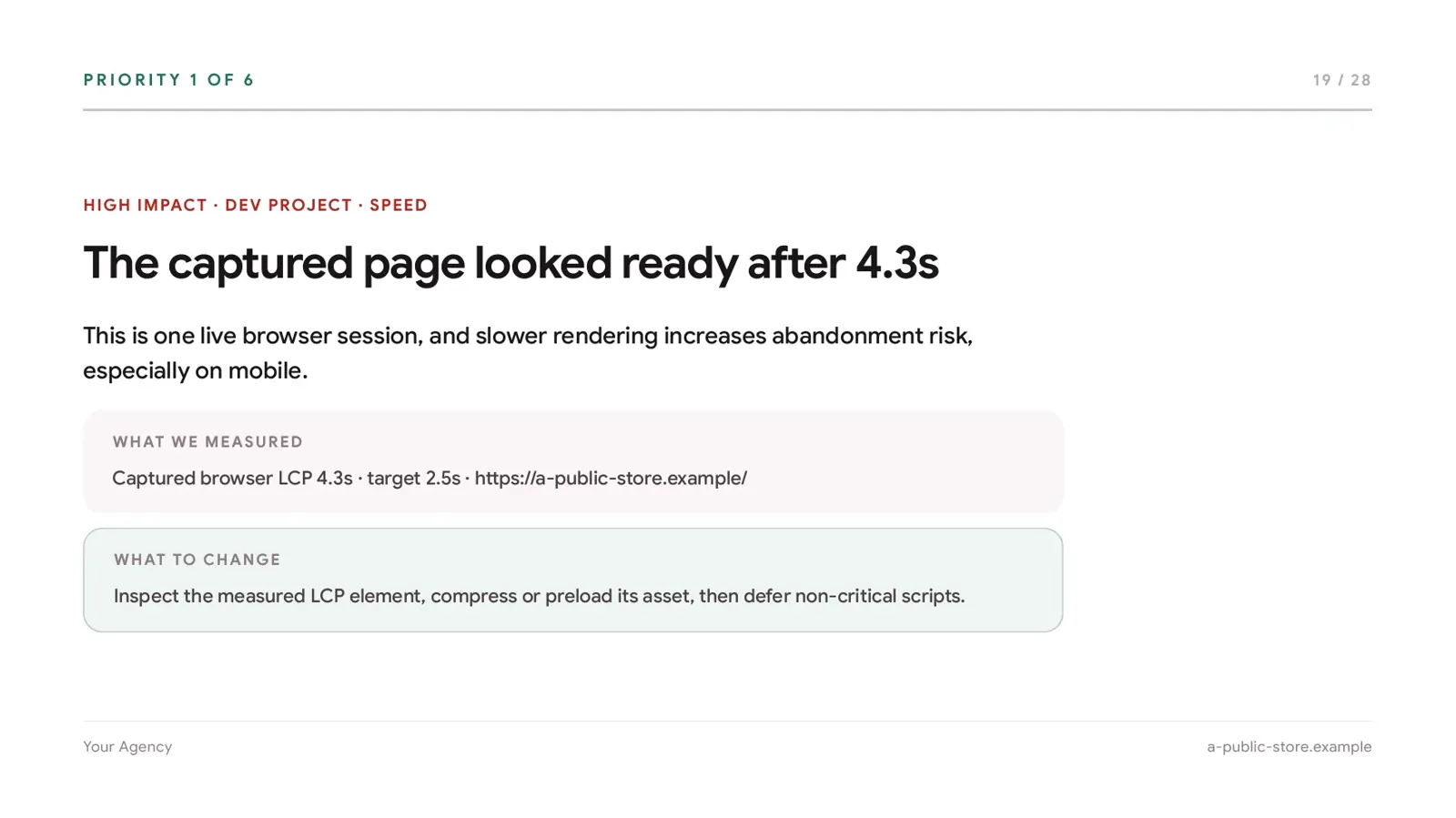
07Client deck: a priority fix with evidence
- Open larger:
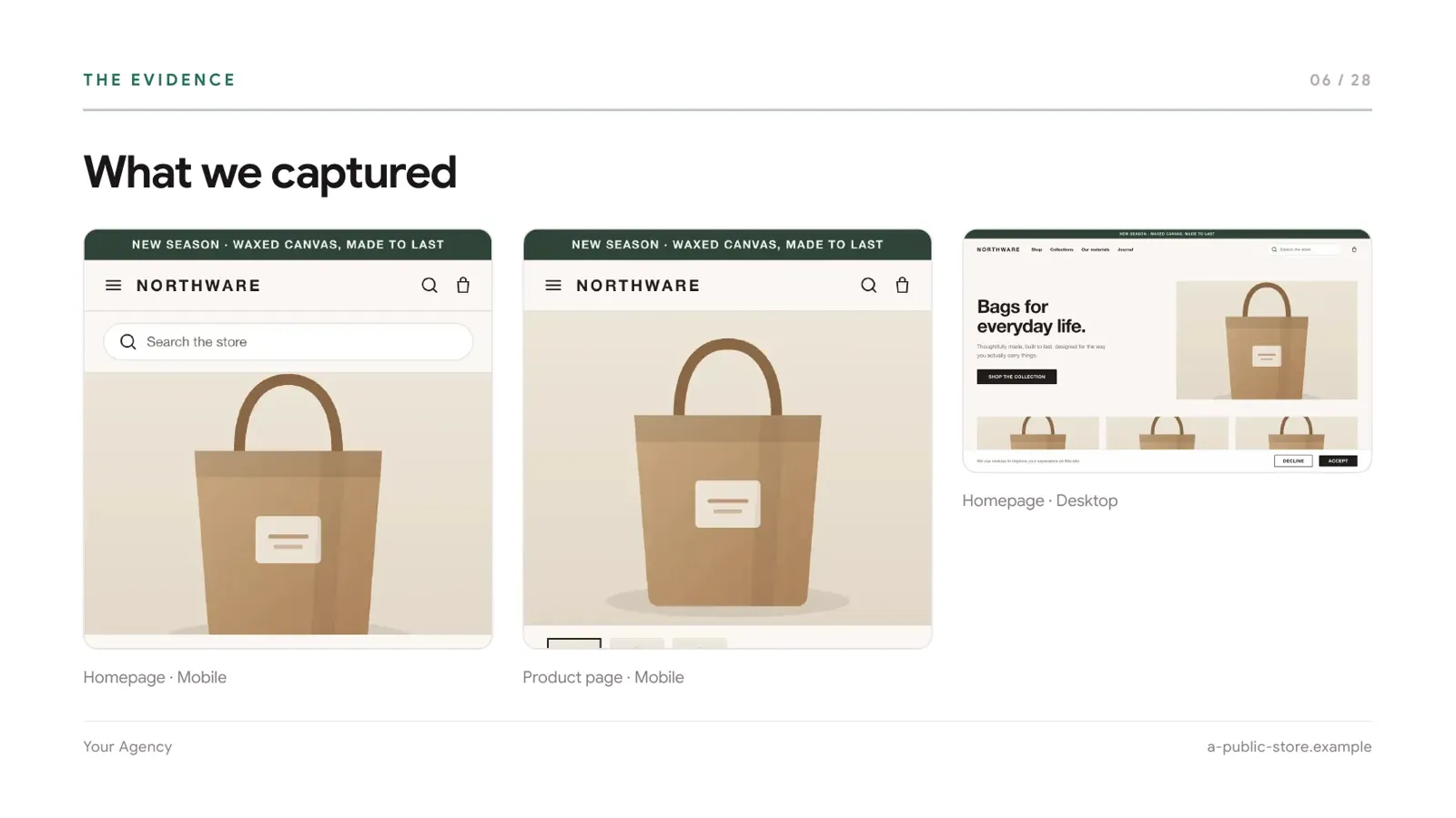
08Client deck: what the audit captured