TubeFocus
YouTube on your terms. Choose Learn, Watch or Explore, it hides the rest, and a 60-second Peek brings it back for a moment.
- Platform
- Chrome extension
- When
- Jul to Dec 2024
- Role
- Sole developer
- Version
- 7.0.2, 11 Oct 2026
- Price
- Free
- Status
- Live on the Chrome Web Store
How it works
4 steps- 01
Add it to Chrome
It only works on youtube.com, and only changes what you ask it to.
Open larger: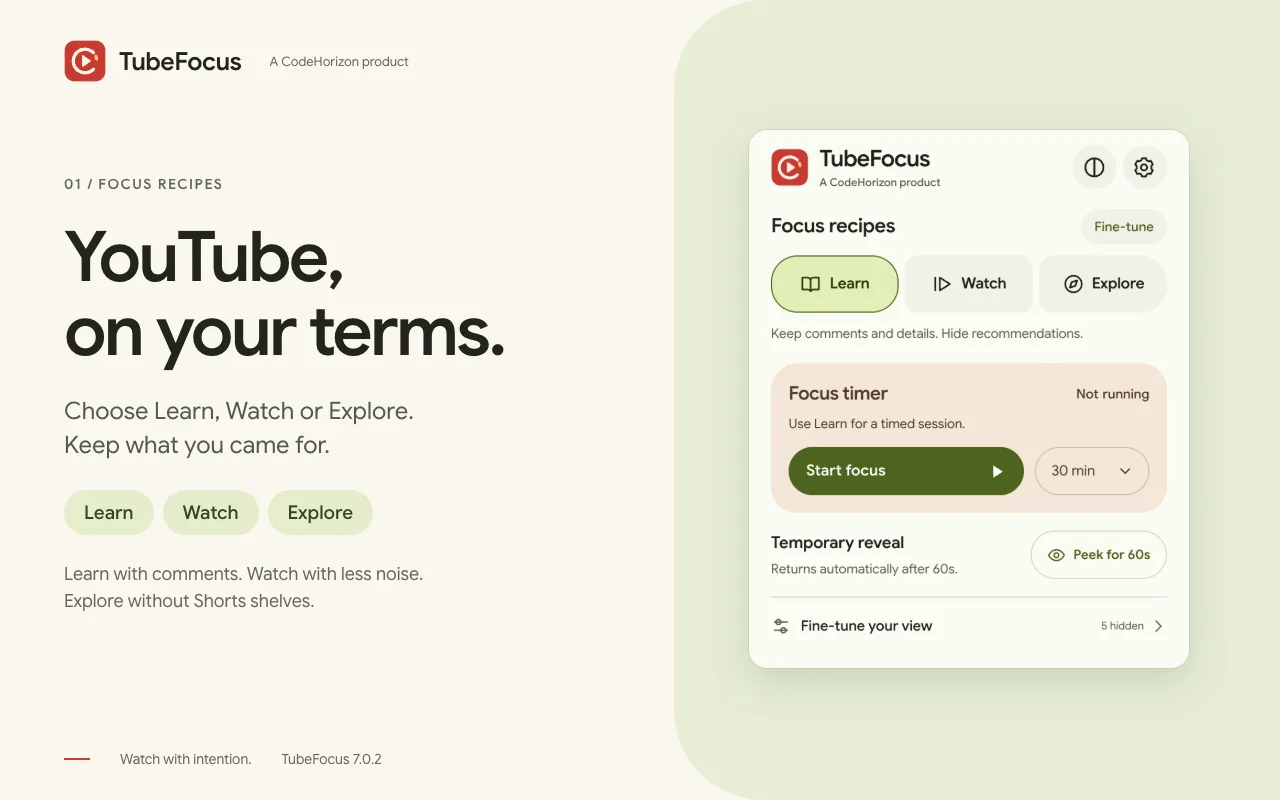
- 02
Choose a recipe
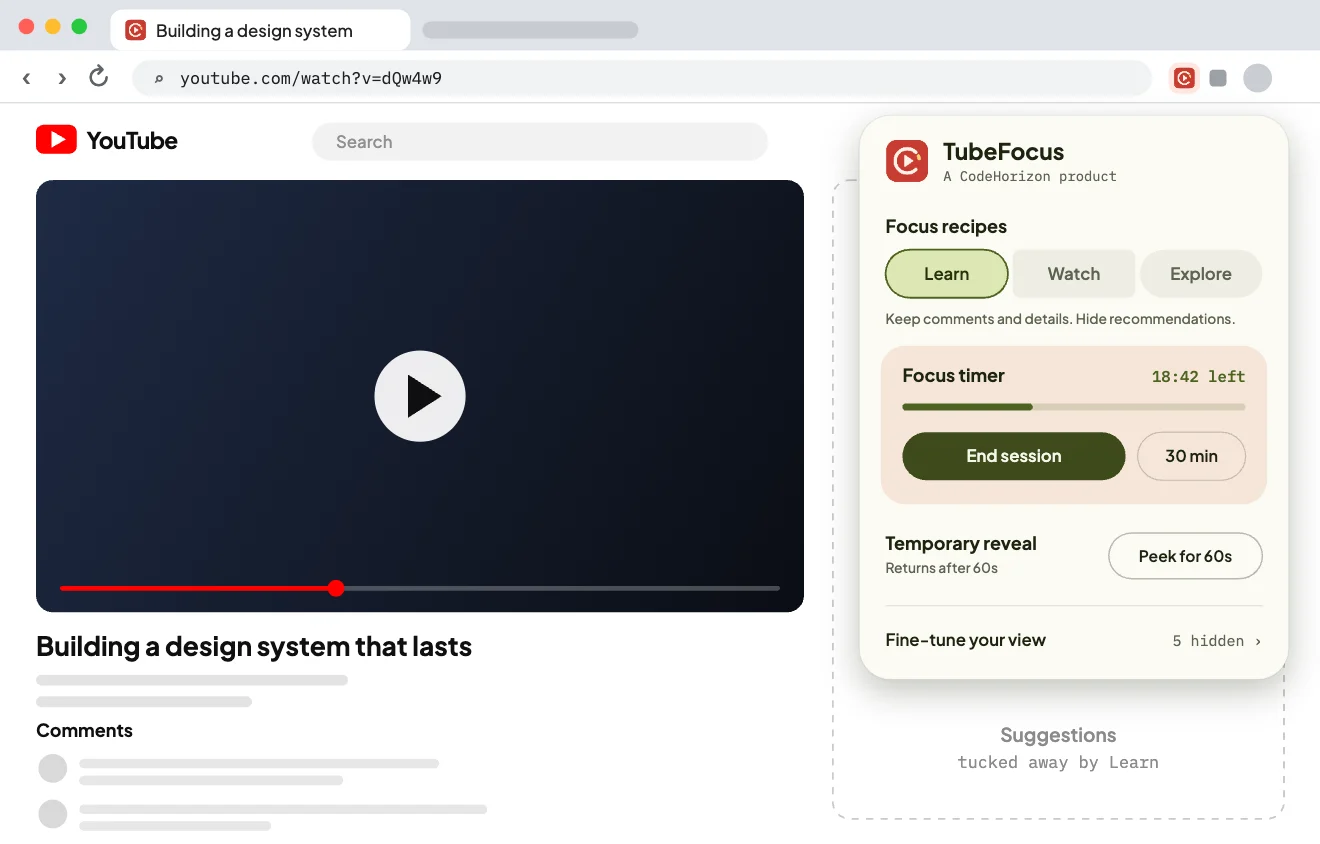
Learn keeps comments and details. Watch gives you a clean player. Explore keeps browsing, without the Shorts shelves.
- 03
Make time to focus
A 15, 30, 45 or 60-minute session in your recipe, with a live countdown.
Open larger: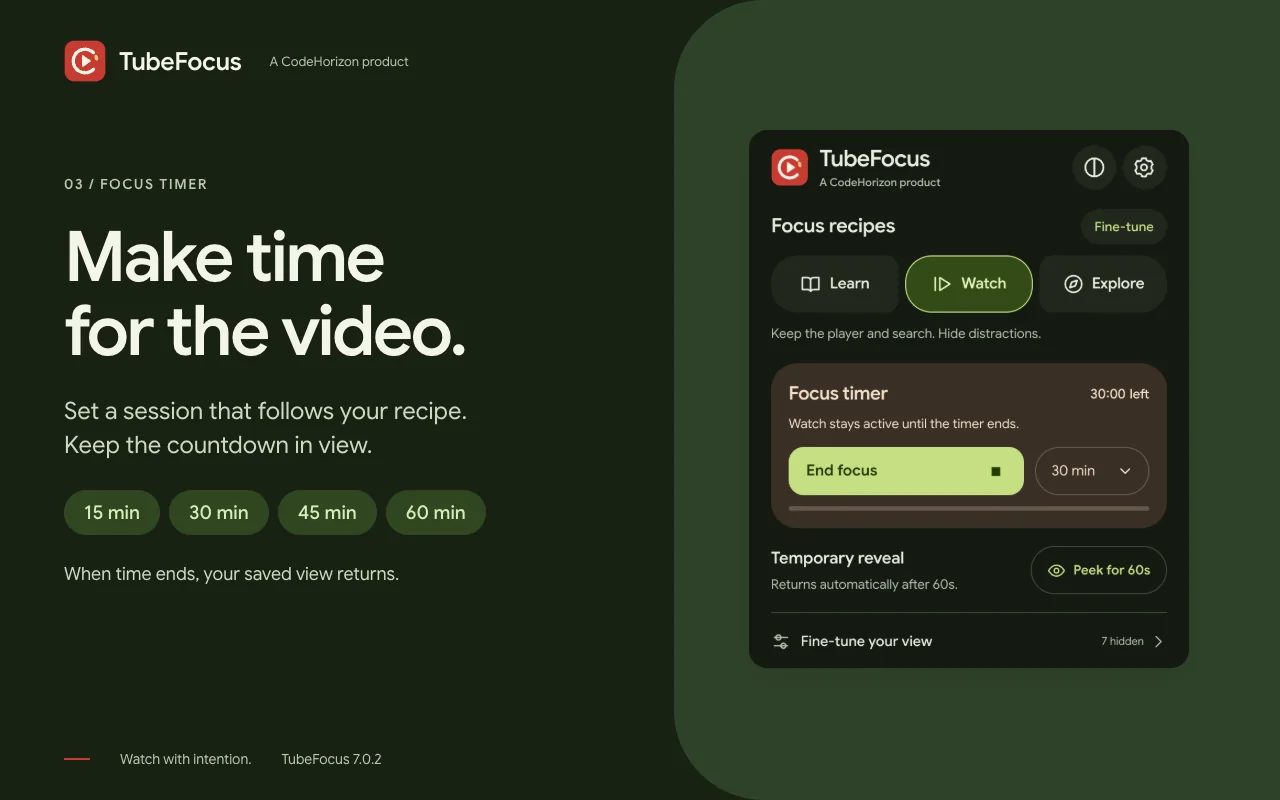
- 04
Take a quick Peek
Hidden parts come back for 60 seconds, then go again on their own. Your saved choices stay as they were.
Open larger: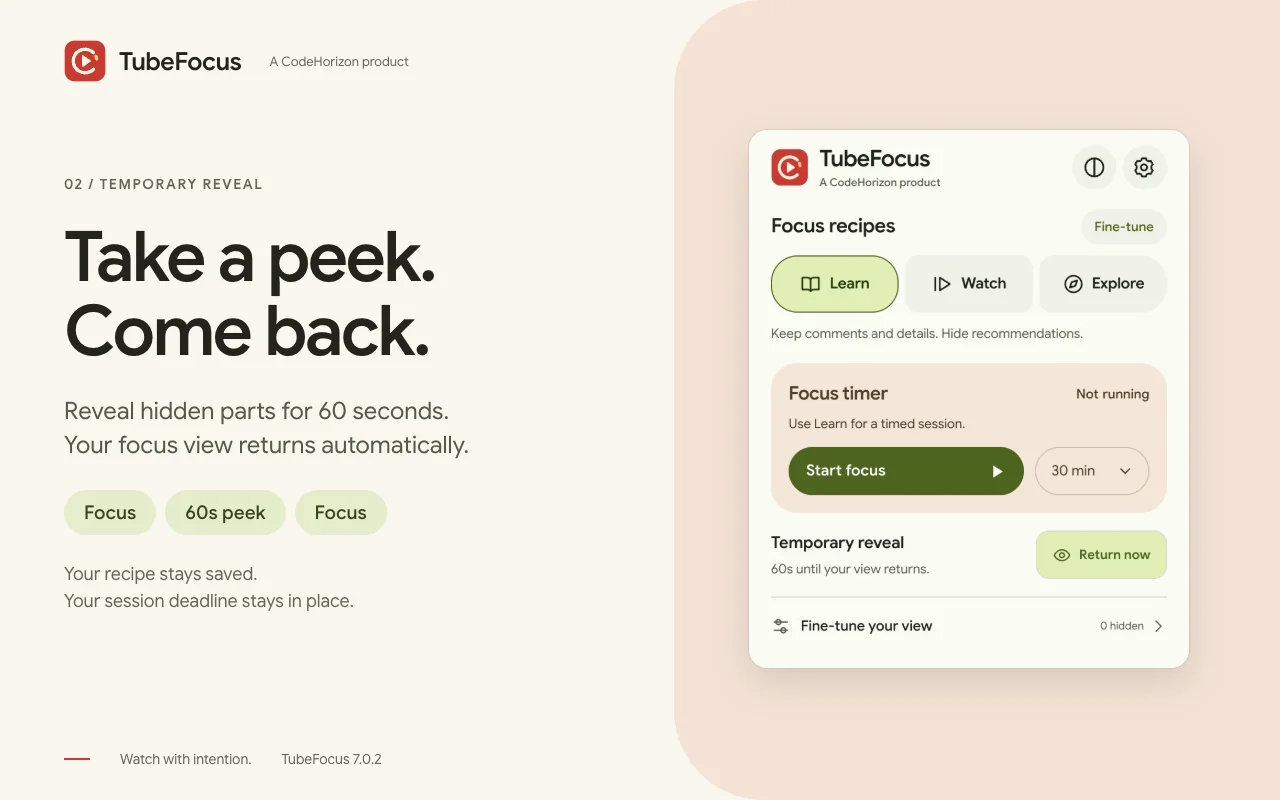
The problem
You open YouTube for one tutorial and surface forty minutes later, three recommendations deep. I use it to learn, and kept losing an hour to the sidebar. Blocking YouTube isn’t the answer, because it’s useful. The feed around the video is the problem.
What I built
A Manifest V3 extension with a Material 3 Expressive popup. Three recipes decide what stays on YouTube, and under them the home feed, left navigation, Shorts shelves, comments, suggestions, end cards and video details can each be switched on their own.
A content script applies the rules as YouTube changes the page, and puts things back when a Peek or a session ends. The timer runs in the service worker on chrome.alarms, with its state in chrome.storage, so it survives the browser putting it to sleep. Nothing leaves the device.
Hard partA focus timer and a 60-second Peek that keep running after the popup closes and Chrome puts the extension to sleep, without touching your saved switches.
What it does
- 01
Focus recipes
Learn, Watch and Explore make it easy to choose how you want to use YouTube.
- 02
A 60-second Peek
Bring hidden sections back briefly, and your view comes back on its own.
- 03
A timer that knows the recipe
Keep your intention for 15 to 60 minutes, even after closing the popup.
- 04
Shorts as videos
Optionally open Shorts in the regular player, so they stop auto-scrolling.
- 05
Fine-tune your view
Feeds, Shorts, comments, suggestions, end screens and video details, each on its own.
- 06
Settings that travel
Synced through Chrome, with light and dark themes, and backups you can export and import.
Under the hood
- 01PopupRecipes, sessions and Peeks
Choose Learn, Watch or Explore, start a focus session, or take a 60-second Peek. The popup only asks for changes; it never writes settings itself.
- 02Settings storeShared, validated, synced through Chrome
Settings are validated before they’re kept and synced through Chrome. A Peek’s deadline stays on this browser and is left out of exports.
- 03Service workerSettings and Peek updates, one at a time
Every change goes through one queue in the service worker, applied one at a time. Deadlines are kept as times, not timers, so a session outlasts Chrome putting the worker to sleep.
- 04Content scriptHides parts of YouTube, and restores them
It hides what your recipe turns off and puts it back when a Peek or a session ends, and repairs the page as YouTube redraws it.
A Peek that can’t lose your settings
A Peek reveals hidden parts and pauses Shorts redirection for 60 seconds. Its deadline survives closing the popup, stays on this browser and is left out of settings exports, so your recipe and focus deadline are never touched.
Sessions that respect what you set
Starting a session from your own switches uses Watch for the session, and puts your switches back when it ends. Changing recipe mid-session keeps the deadline.
Saves that can’t collide
The service worker applies settings and Peek updates one at a time, imports are validated, and observers, timers and export files are cleaned up when they’re done.
Tested on the real thing
Version 7.0.2 passes 39 regression tests and 24 checks in real Chrome, including 10,000 DOM changes with node and listener counts holding steady.
In the code
One writer for every setting
The popup and the settings page only ask. The service worker applies each change one at a time, so two pages can never overwrite each other, and it caps how many can wait.
background.js, lines 29 to 48 and 91 to 92
// One writer keeps edits from separate popup/options pages from overwriting one another.
chrome.runtime.onMessage.addListener((message, sender, sendResponse) => {
  if (message?.type !== 'tubefocus:settings' || sender?.id !== chrome.runtime.id) return;
  // Only extension pages may use this message API for settings writes.
  if (![chrome.runtime.getURL('popup.html'), chrome.runtime.getURL('settings.html')].includes(sender.url)) {
    sendResponse({ ok: false, error: 'Open TubeFocus to change settings.' });
    return false;
  }
  let command;
  try { command = parseCommand(message); } catch (error) {
    sendResponse({ ok: false, error: error.message });
    return false;
  }
  if (pendingWrites >= MAX_PENDING_WRITES) {
    sendResponse({ ok: false, error: 'Too many changes. Please wait a moment and try again.' });
    return false;
  }
  pendingWrites++;
  const operation = writeQueue.then(async () => {
    const current = await readSettings();
    // … the command, applied to the settings it just read, and saved …
  });
writeQueue = operation.catch(() => {});Decisions
- 01
Inject CSS instead of removing DOM nodes
Toggling a stylesheet is instant and safe to repeat. Removing nodes from YouTube’s component tree breaks easily.
Trade-offThe elements are still in the DOM, just hidden.
- 02
Service worker +
chrome.alarmsfor the timerMV3 has no persistent background page, and
setTimeoutstops silently when the worker sleeps.Trade-offWorker state is wiped between wake-ups, so the timer keeps everything in storage.
A bug I remember
A timer that stopped when no one was looking
- What it did
- The focus timer stopped, with no error, once Chrome had put the extension to sleep.
- Why
- The alarm still fired, but the service worker had been shut down in between, and the time left had only lived in its memory.
- The fix
- All of the timer’s state moved into
chrome.storage. The worker reads it back every time it wakes, so nothing depends on memory.
What I tried first
Removing YouTube’s elements
Taking the sidebar out of the page worked until the next client-side navigation, when YouTube rendered it again. A stylesheet survives re-renders, because it doesn’t touch the DOM.
setIntervalfor the timerIn an MV3 service worker it stops cold when the worker is suspended, without a warning.
chrome.alarmssurvives it.
What I learned
- YouTube’s markup changes without notice. Every selector needs fallbacks.
- Chrome Web Store review checks every permission, so each one needs a clear reason in the listing.
Timeline
First version
Hides recommendations, Shorts and comments, with a focus timer that survives the browser putting it to sleep.
6.3
One click hides every distraction for 15 to 60 minutes with a live countdown, Shorts play as regular videos, and the popup is redesigned in Material 3.
7.0.2
Learn, Watch and Explore recipes, a 60-second Peek, and a roomier Material 3 Expressive interface with a new focus-dial icon.
Built with
JavaScriptManifest V3Service Workerschrome.alarmschrome.storageNode test runnerPlaywright
Your dataFree, with no account, ads, tracking or analytics. Not affiliated with YouTube or Google.
Every screen
5 from the store listing- Open larger:
01Choose Learn, Watch or Explore in TubeFocus 7.0.2
- Open larger:
02Peek for 60 seconds, then return to focus automatically
- Open larger:
03A timed focus session using your chosen recipe
- Open larger:
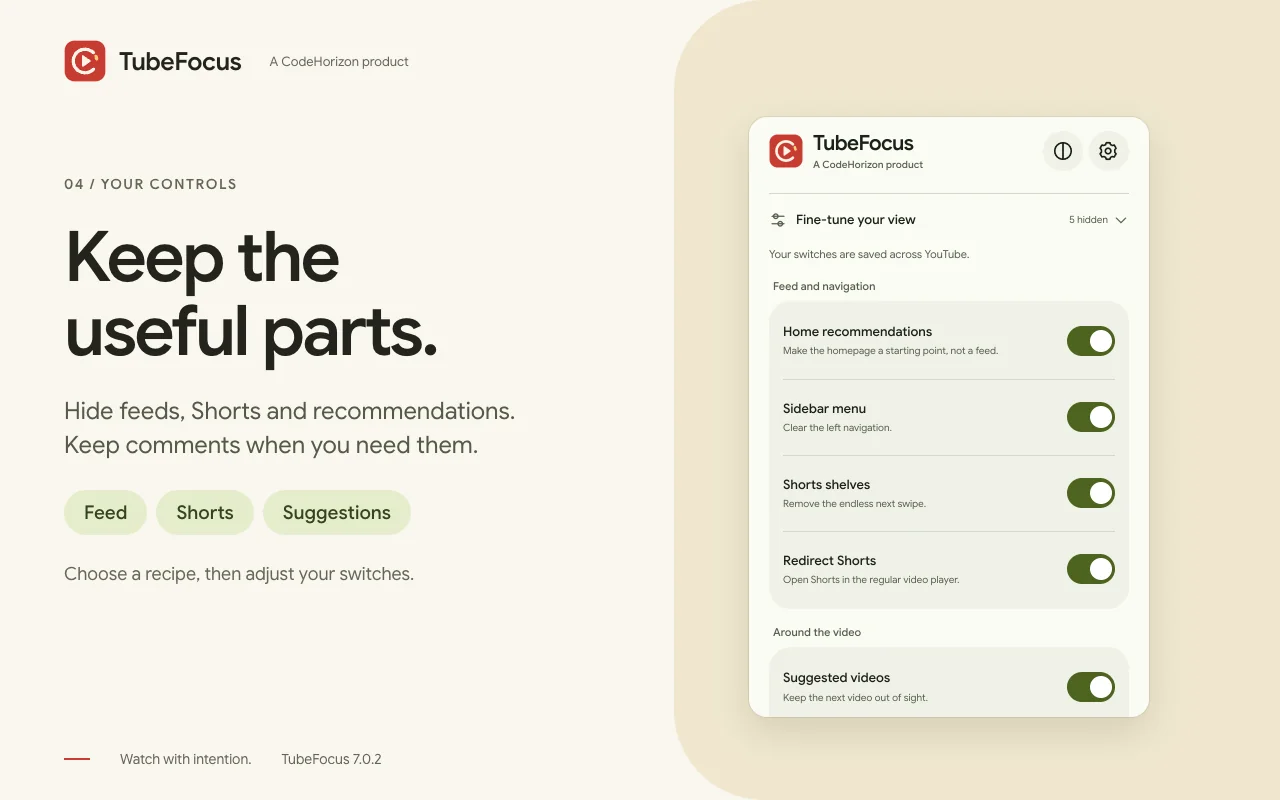
04Fine-tune the parts of YouTube that stay visible
- Open larger:
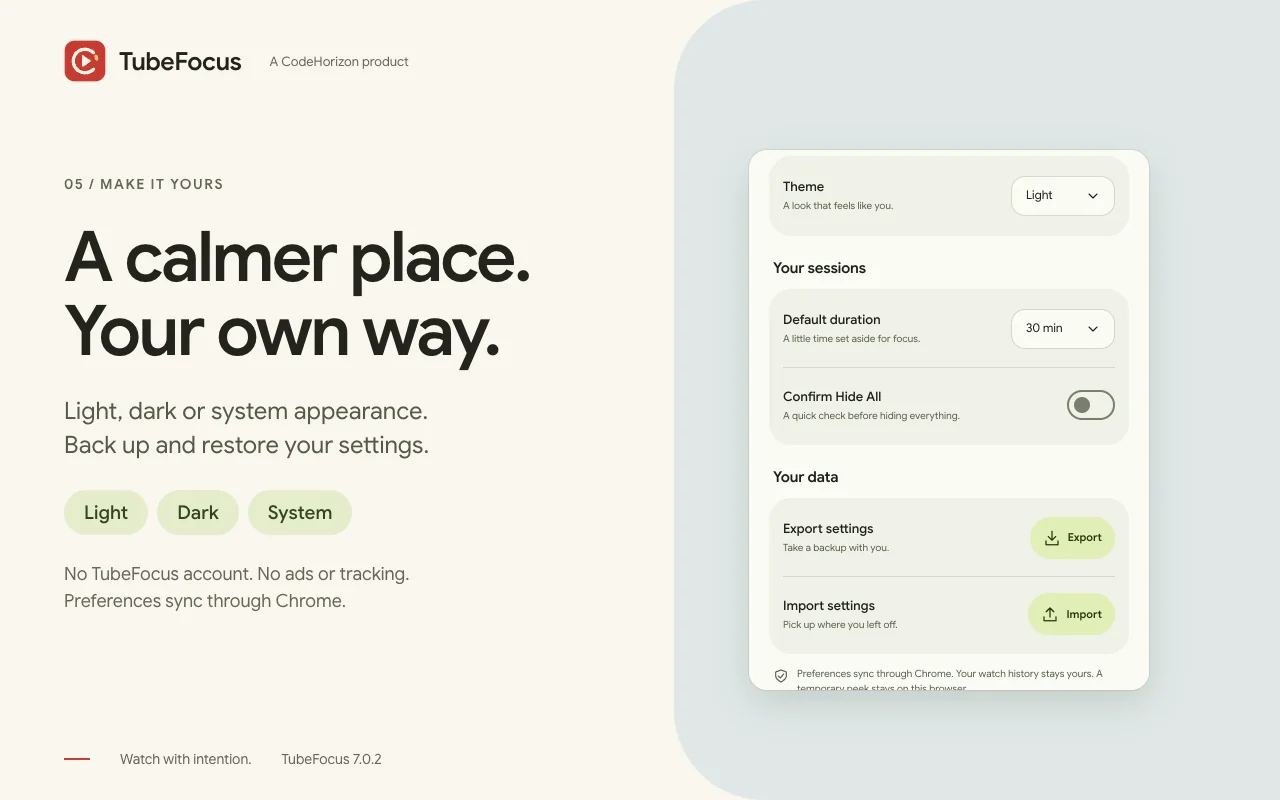
05Appearance, preferences and settings backups